


Before taking photos, I always use lots of concealer and foundation to cover freckles on my cheeks. That means several dollars and at least one hour in front of the mirror. I looked for more financially-friendly and time-saving methods than traditional makeup, and luckily, I found some great photo editing apps that were able to remove freckles from my photos.
I tested 6 tools and the following 4 turns out to be the best. All of them work like magic in terms of removing freckles on photos. Check them out!
TABLE OF CONTENT


More Video Templates You May Love >
You May Also Love: Best Tool to Restore Your Old Photos >
Can't Miss: How to Get Rid of Unwanted Person from Photo >
Method 1: Make Freckles Less Noticeable in Photo Using FlexClip
FlexClip is an AI solution for removing freckles in photos. Traditionally, you might need to mark the freckle parts, and carefully adjust the light. However, FlexClip's AI automatically detects the freckles and removes them once for all. Manual edits are barely needed. Besides removing freckles, you can try on a different hairstyle, new makeups, or clothes. Improve your photos in ways you like.
Here is an example photo we uploded to FlexClip. Follow us to see how well FlexClip gets the task done.

Example Photo Uploaded to FlexClip

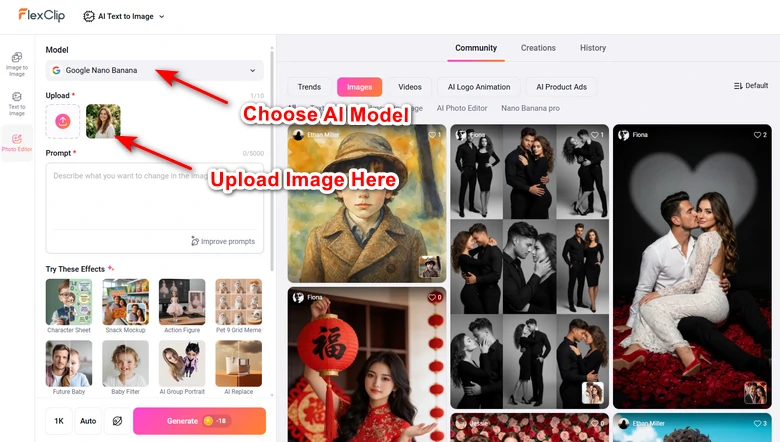
Select AI Model/Upload Images
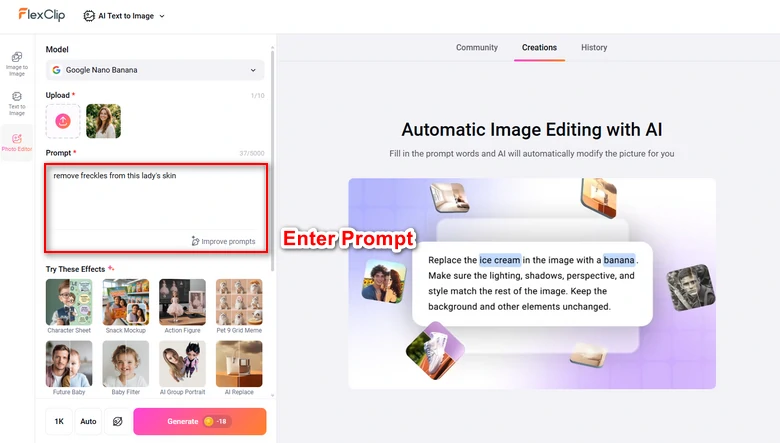
Enter Prompt to Remove Freckles from Photo
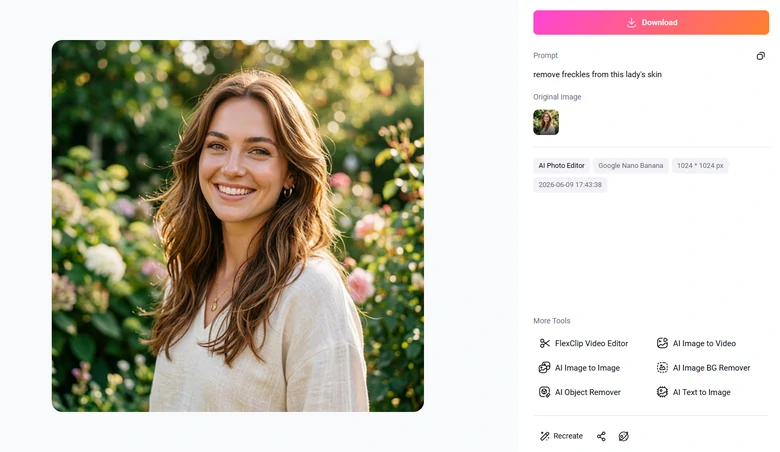
Generate Output
Method 2: Remove Freckles from Photo via Meitu
Meitu has been one of the most popular photo editing apps among Asian girls for almost a decade. It levels up all your photos in every way. You can remove any imperfections from your photo, slightly change your facial details, and put on virtual makeup. Here is an example output I created with Meitu. I didn’t pay a penny, and the output is watermark-free.
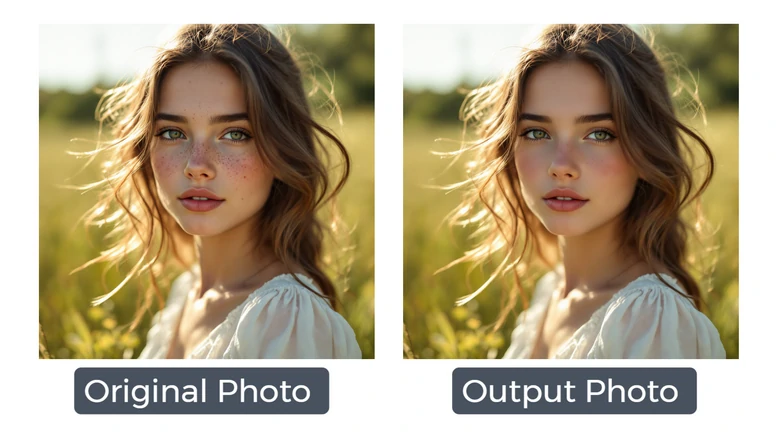
Original Photo VS Meitu Output
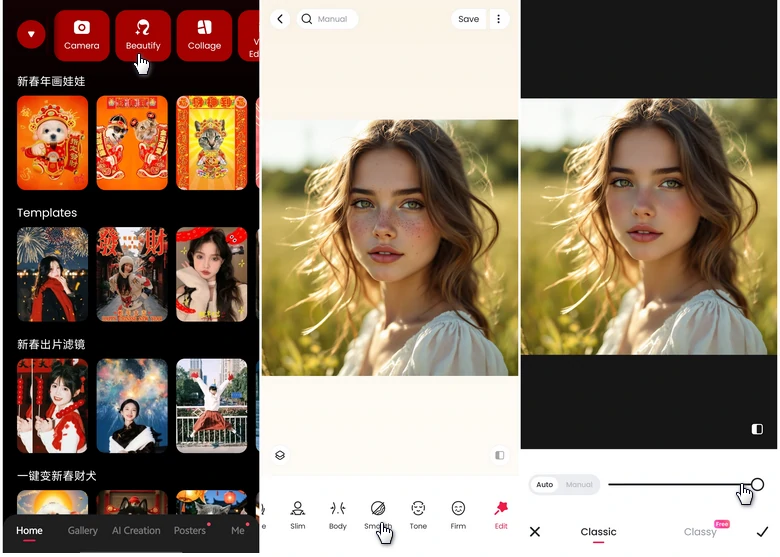
Remove Freckle from Photo with Meitu
Method 3. Get Rid of Freckles from Photo via Fotor
Fotor can be regarded as the online version of Meitu. I was disappointed because lots of ads are on the interface, and tons of AI tools are exclusive for subscribers. Yet, its Blemish Fix tool is free! According to my trial, you have to be very patient so that you can select all the little dots on your interface. This is what I did in the same photo with Fotor. It is not hard to notice the freckles are still noticeable, but the photo gets better.
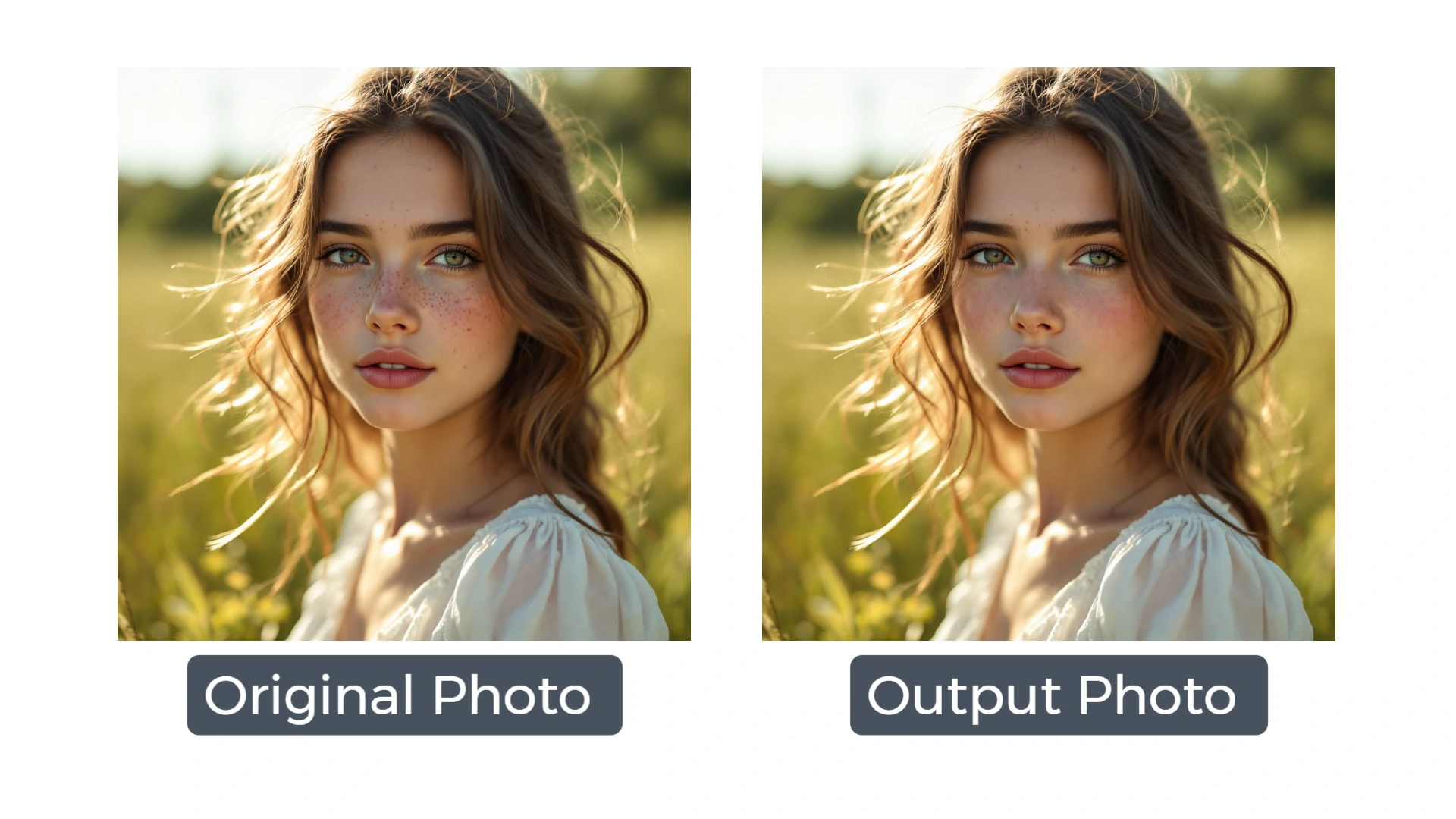
Original Photo VS Fotor Output Photo
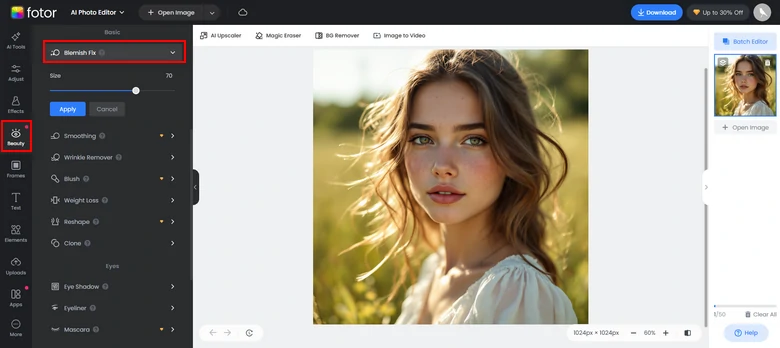
Removing Freckles from Photo via Fotor
Method 4. Hide Freckles from Photo with YouCam
YouCam is a great app, I love YouCam. I should have listed it on the top. Sadly, it is not completely free. Free users have access to the freckle removal tool, but YouCam leaves a tedious watermark on my photo, which is really annoying. If that doesn’t bother you, follow the steps below.
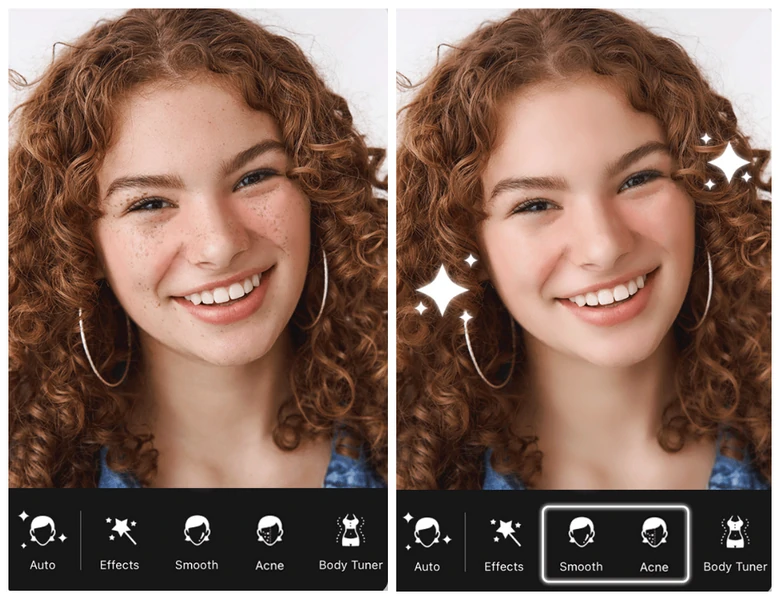
Removing Freckles from Photo with YouCam
Bonus: Tips for Better De-freckle Results
Tried all the methods above and still couldn’t come up with a satisfying result? Here are some easy tips you can follow.
While you are brushing over freckles on your face, AI will learn the skin tone around the freckles. If you are brushing over other elements like hair, eyes, you can easily get weird outputs. Make sure you always use a smaller brush to target specific spots.
It is unrealistic to make all freckles invisible. Over-removing will distort the photo details, leading to an unrealistic look. You should try reducing their visibility while keeping the skin texture.
If your photo moves, people probably won’t notice minor imperfections on your face. We, at FlexClip, offer thousands of free slideshow templates for you to customize. Make them yours before anyone else does!




FlexClip AI Video Maker
Reach professional-quality videos faster with easy editing tools, templates, and smart AI.
Start Now for Free
Hot & Trending
-

Best Ways to Find Music in YouTube Videos
-

Instagram Story Video Quality Bad After Upload? Fix It!
-

How to Repost Video on TikTok & How to Remove TikTok Repost
-

Improve Video Quality Online: 3 AI Video Quality Enhancers You Can't Miss
-

4K Convert to HD 1080p without Watermark: Best 4k Video Converters
-

Best 8 Free Video Editors - No Download Required
-

Top 13 Birthday Video Makers with Music and Effects Free
-

How to Search Filters on TikTok & Use a Filter You See - TikTok Filter Guide


